The OWNA app is Australia’s leading childcare platform for family engagement, helping parents stay connected to their child’s learning, routines and wellbeing throughout the day. At Village Early Education, OWNA strengthens our commitment to open communication, transparency and genuine family partnership.
OWNA App:
A Comprehensive Childcare Platform
How to Stay Connected with Your Child in Village Early Education
A Single Source of Information
The OWNA app is an all‑in‑one childcare management platform that lets you see everything you need in one place, including programs, updates, documentation, daily routines and direct communication with our team. All you need is the OWNA mobile app or the web portal to help you stay informed and engaged with your child’s learning journey. Families exploring both childcare and kindergarten options or researching childcare centres in Victoria appreciate how easy and reliable this tool is to use.
Features of the OWNA App
OWNA includes a wide range of features designed to support smooth communication and give you a clearer view of your child’s day. Below is a simple OWNA app cheat sheet to help you navigate some of the key features available in the platform.

Review learning goals
OWNA makes it simple to follow your child’s progress with detailed learning goals. You can explore current programs, past learning experiences and see upcoming events in an easy‑to‑follow calendar. This helps you understand how our educators extend your child’s interests and development from week to week.
Communicate with staff
OWNA offers a secure and private messaging system that lets you communicate directly with educators throughout the day. You can ask questions, provide feedback or discuss your child’s needs at any time, knowing your messages go straight to the right team member. It’s a safe, convenient way to maintain strong childcare centre and parent communication.
See photos and videos
Educators regularly upload photos and videos documenting your child’s learning, friendships and experiences. You’ll receive notifications as soon as new posts are published, and you can react, comment or save updates. Village educators can also tag you in posts so you never miss special moments.
Find daily routines
The app shows live updates on meals, sleep, bottles, nappy changes and daily care routines. You can easily revisit previous days to see patterns or updates. This is especially helpful for families with babies and toddlers who want to stay closely connected to their child’s rhythms.
Access food menus
You can browse weekly food menus directly in the app. This includes details about snacks, meals and dietary modifications so you know exactly what your child is enjoying at Village.
Manage documentation
OWNA keeps important documents organised in one secure place. You can upload immunisation records, view medical information and digitally sign forms when required. This makes admin tasks simple and quick with no printing or scanning needed.
Manage enrolment
OWNA also functions as a childcare management platform. You can mark absences, submit casual bookings and track digital attendances with ease. Everything is updated instantly for both your family and our educators.
Pay fees
The billing section allows you to see your Child Care Subsidy (CCS) information, access statements and pay your fees digitally. You can choose from multiple payment methods and view your payment history at any time.
How to Use the OWNA App
Navigate the home page
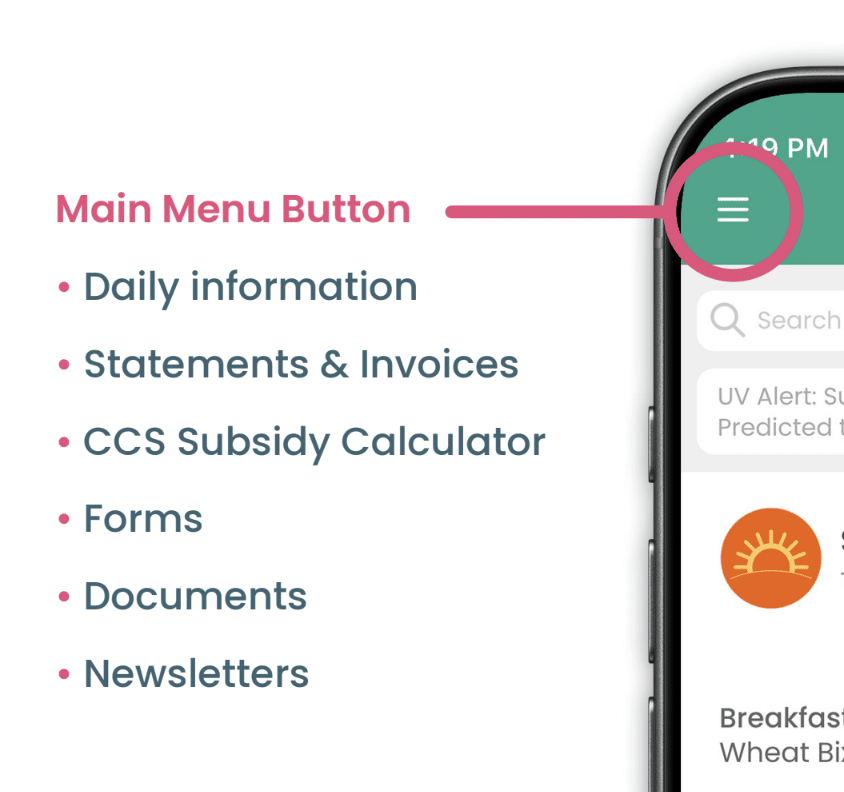
When you open the OWNA app, you will arrive at your centre’s home feed, where you can view updates, reminders and moments from your child’s day. The main menu gives families easy access to important sections, including daily information, statements and invoices, forms, documents, newsletters and the Subsidy Calculator. The bottom navigation bar also helps you quickly access notifications, calendar events, settings and daily updates.
View child information
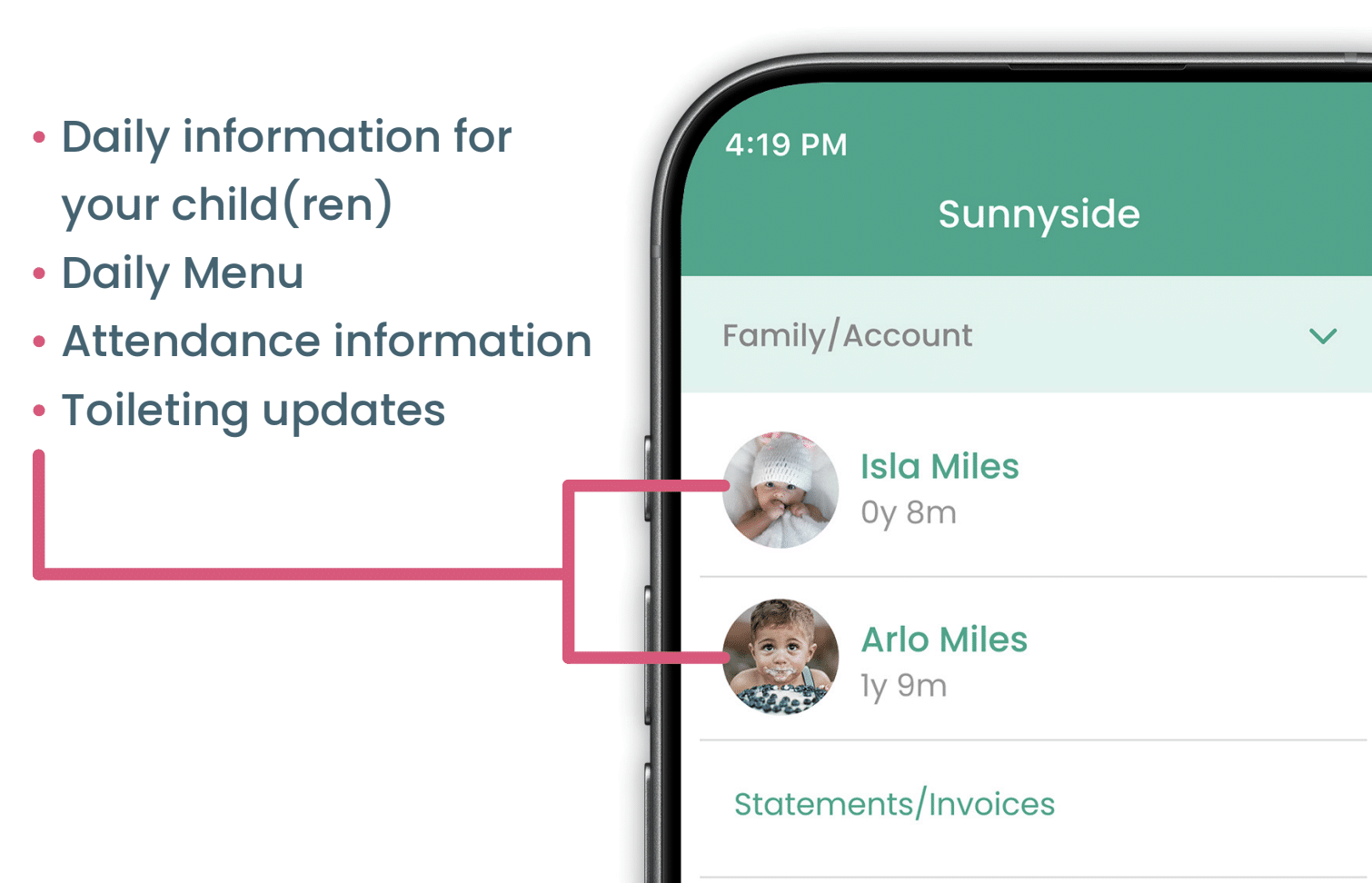
Families can easily access their child’s daily information by opening the main menu and selecting their child’s profile. This section includes updates on meals, sleep and rest times, attendance records, toileting updates, sun protection information and daily menus. Primary carers can also view parent and guardian contact details through the app.
Log attendances
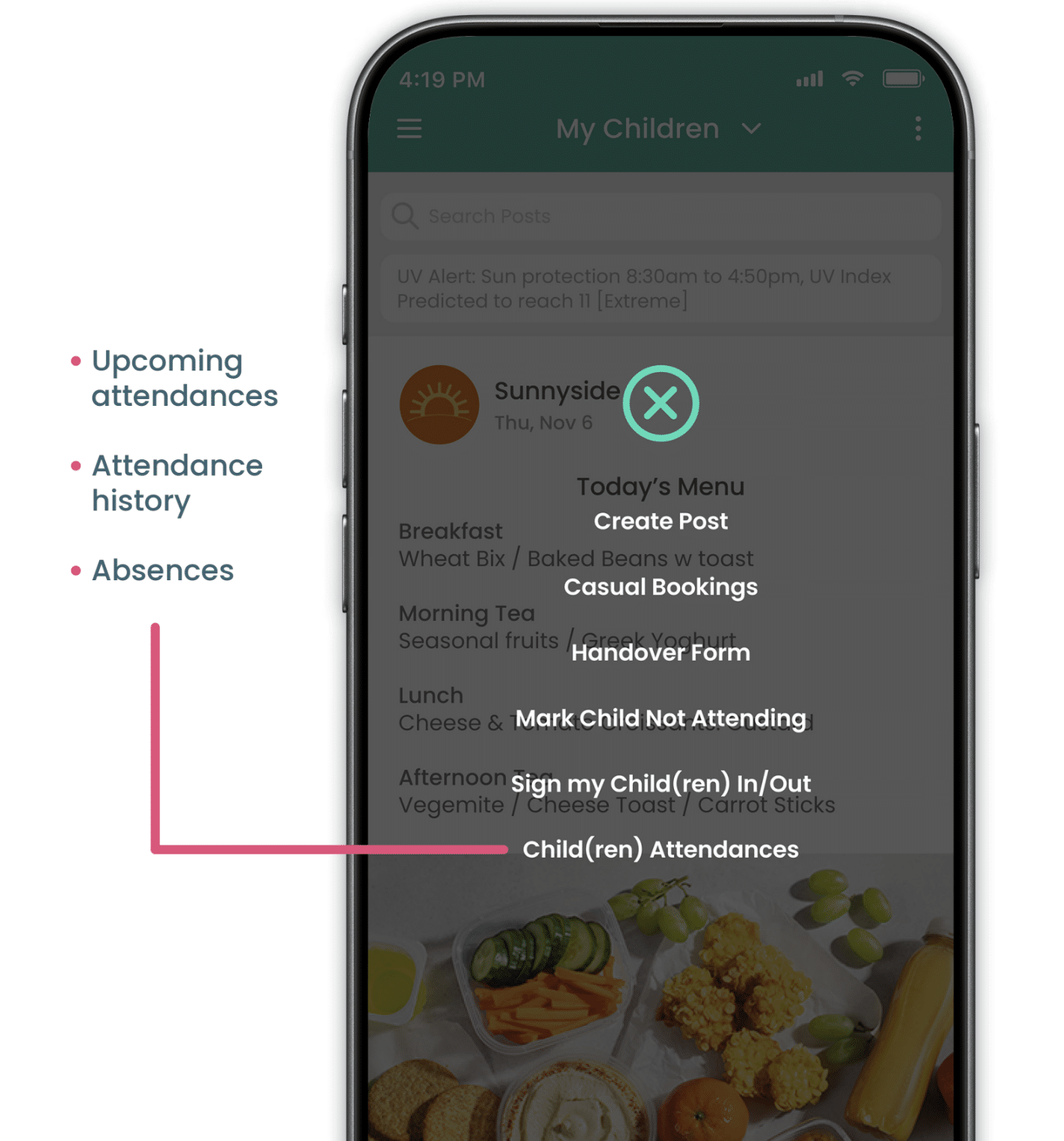
To view attendance information, tap the ‘+’ button on the home screen and select ‘Child(ren) Attendances.’ Families can check upcoming bookings, attendance history and absences in one convenient place. Depending on your centre’s settings, the app may also allow you to sign your child in and out or notify the centre if your child will be away.
Access documents
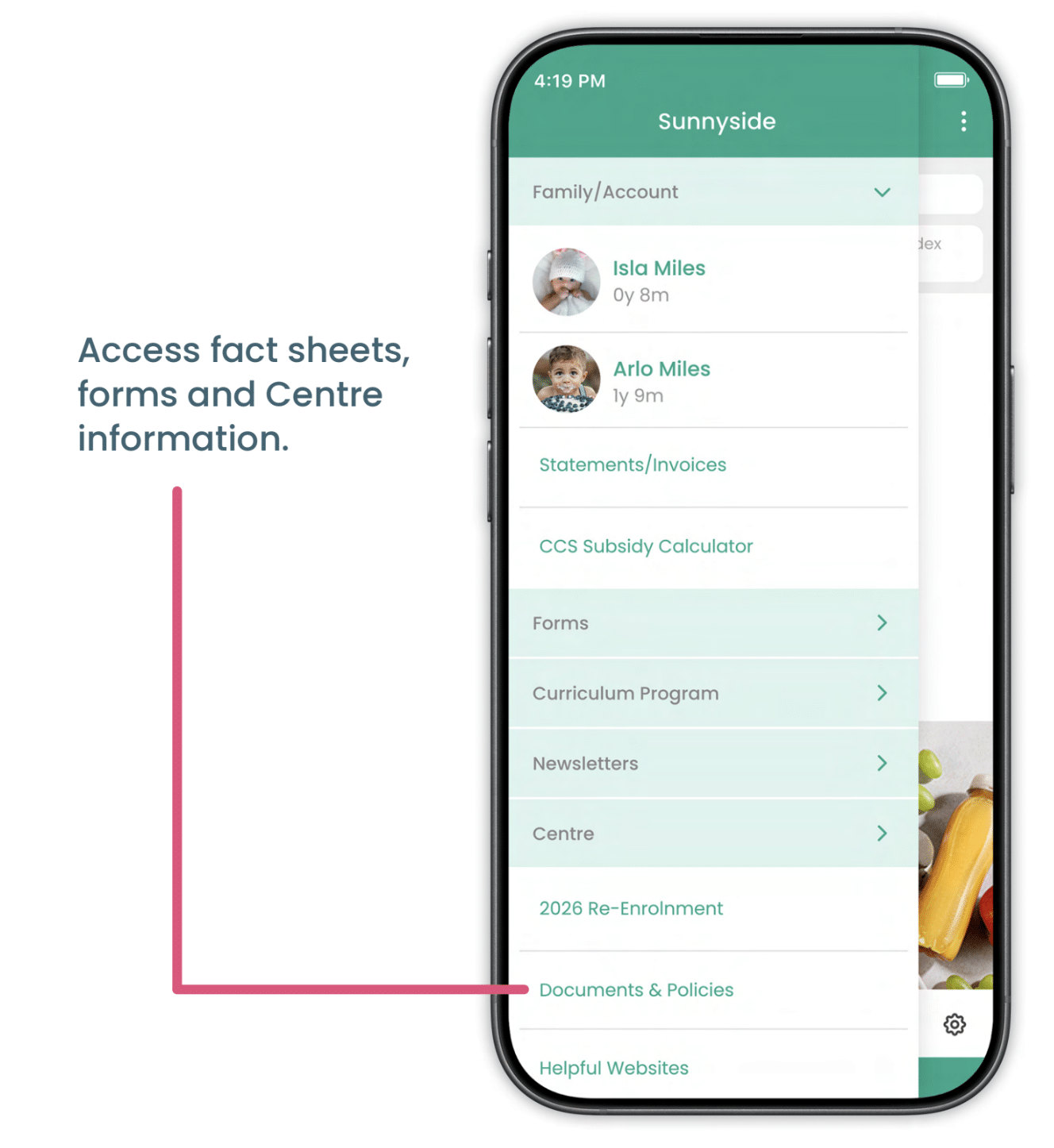
Families can access important centre documents and policies through the main menu. Simply tap the menu button and scroll to ‘Documents & Policies’ to view forms, fact sheets, centre information and other helpful resources shared by your child’s centre.
Remain connected with your children at Village Early Education
The OWNA app plays an important role in helping families feel connected, informed and supported every day. Whether you’re checking photos from work or looking at your child’s latest learning goals, OWNA becomes a meaningful part of your Village experience. By integrating this childcare platform into our daily routines, we ensure families have consistent communication, transparency and genuine insight into their child’s early education journey.
To begin your journey with Village Early Education and discover how the OWNA app supports our community, make an enquiry today.